
AI finds the look — and the exact settings to dial into your camera.
Show LookBridge any photo and its AI reads the look, then tells you exactly what to set on your camera — profile, tone, colour, exposure and the technique. For Fujifilm & Ricoh it pulls the exact recipe, previews it on your own photo, and exports at full resolution.
An honest fidelity score on every result — never a fabricated number.
The AI coach works with any camera · exact recipes for Fujifilm X-Trans (III/IV/V) and Ricoh GR (III · IIIx · IV)
Four ways to nail the look.
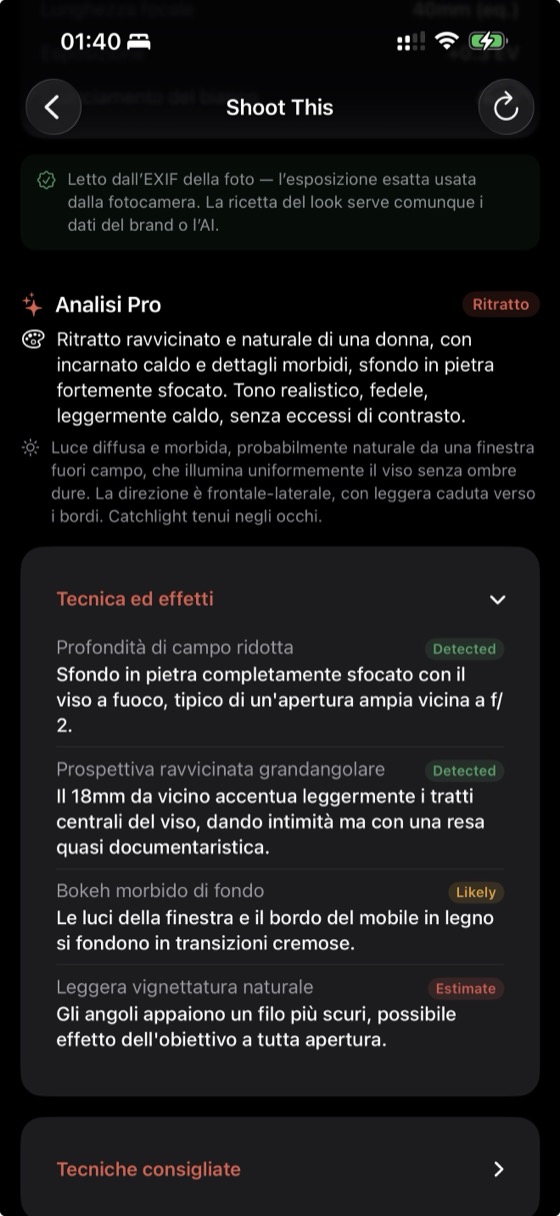
Shoot This — AI coach
Show it any photo and it tells you how to recreate the look on the camera you own: the profile, the settings and the technique. Works for every brand.
EXIF recipe reader
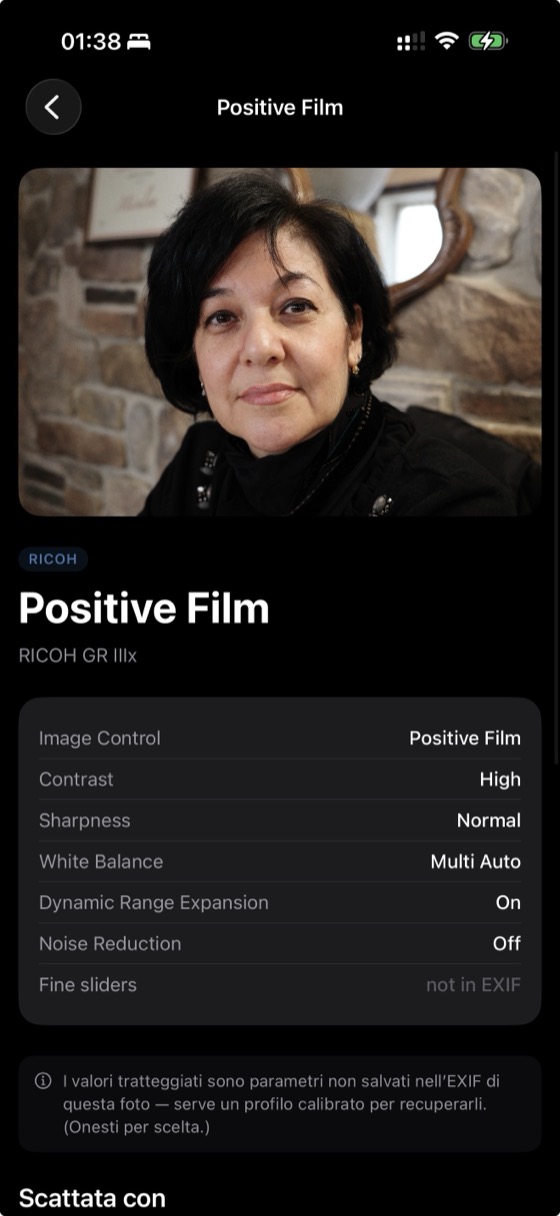
Open any Fujifilm or Ricoh JPEG and pull the full film simulation / Image Control and every parameter straight from the MakerNotes — always correct, never guessed.
Preview, render & export
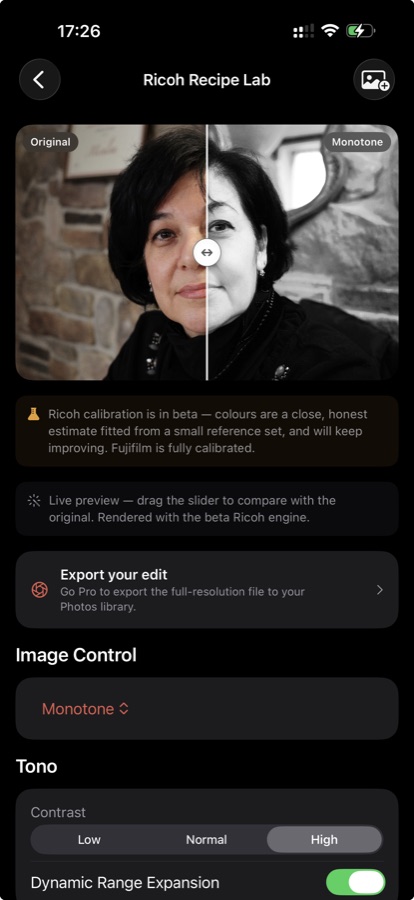
Render any recipe on your own photo with the calibrated Fujifilm engine — and the Ricoh GR IV engine — fine-tune the parameters live, compare with a before/after slider, and export at full resolution.
Community catalog
Discover recipes shared by other shooters, try them on your photo and save them. Every recipe is ingested through the EXIF reader, so the parameters are real.
From a photo to the shot, on your camera.
Point it at a frame you love — a film still, someone else's photo, your own shot. The coach reads the colour and the light and tells you, in your camera's own menu language, how to get there: the profile, the tone and colour settings, exposure, and the technique behind the frame.
- Works for every brand — Fujifilm, Ricoh, Sony, Canon, Nikon, OM and more.
- The craft, not just sliders — light, exposure, framing, white balance.
- For Fujifilm, it goes all the way: the exact, calibrated recipe.
- An honest fidelity score, so you always know how close you can get.
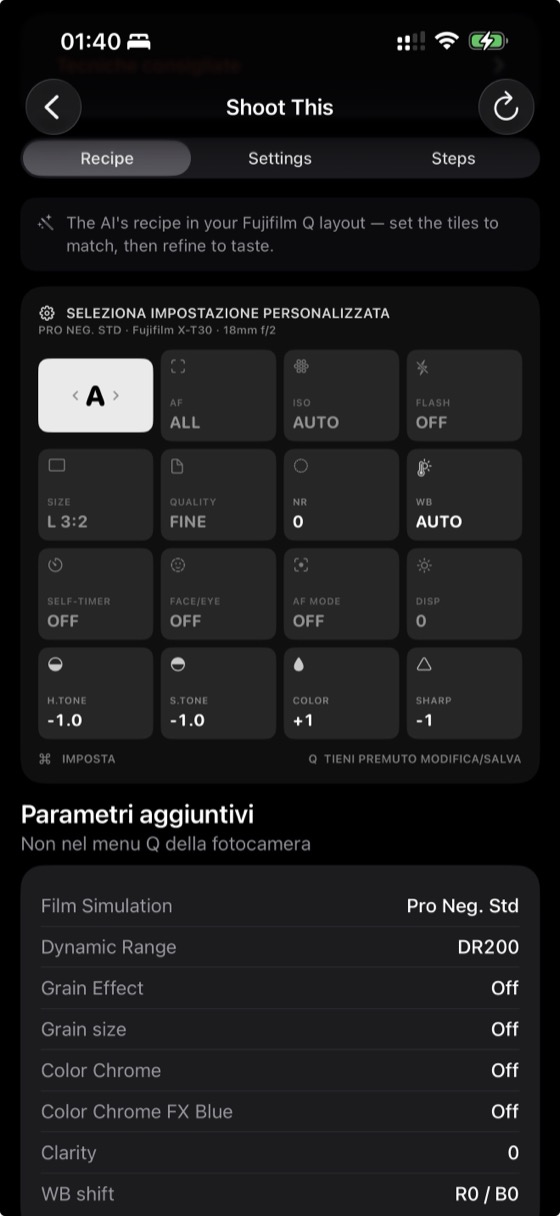
“Warm, gently faded daylight. On your X‑T30: Classic Negative, DR400, Highlight −1, Shadow +1, Color +2, WB 5500K +2R. Underexpose ⅓ stop and shoot into soft side light to keep the highlights tender.”
See it in the app.
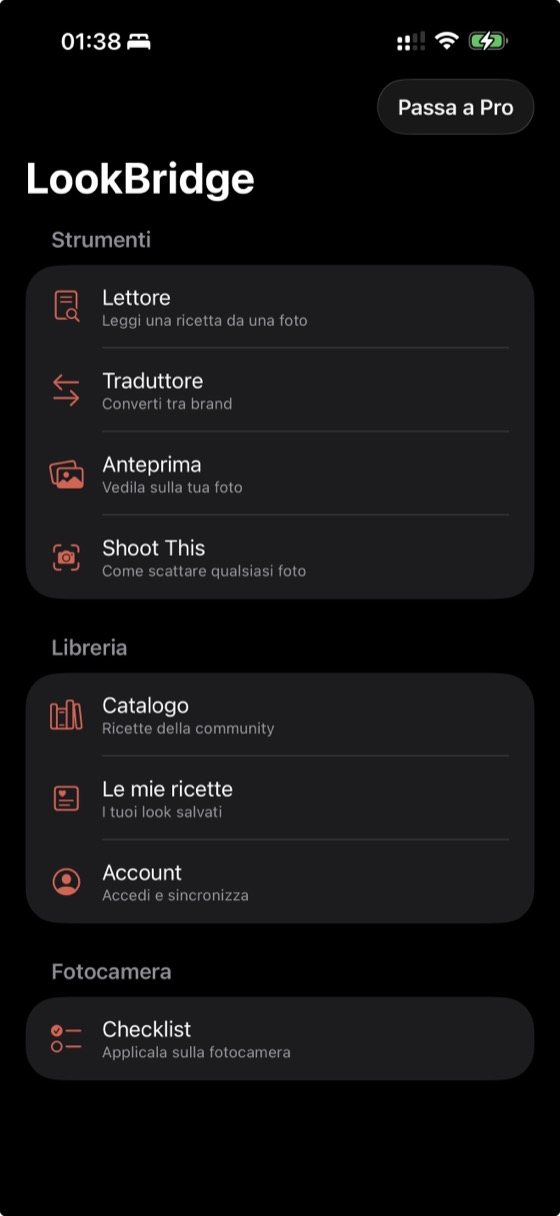
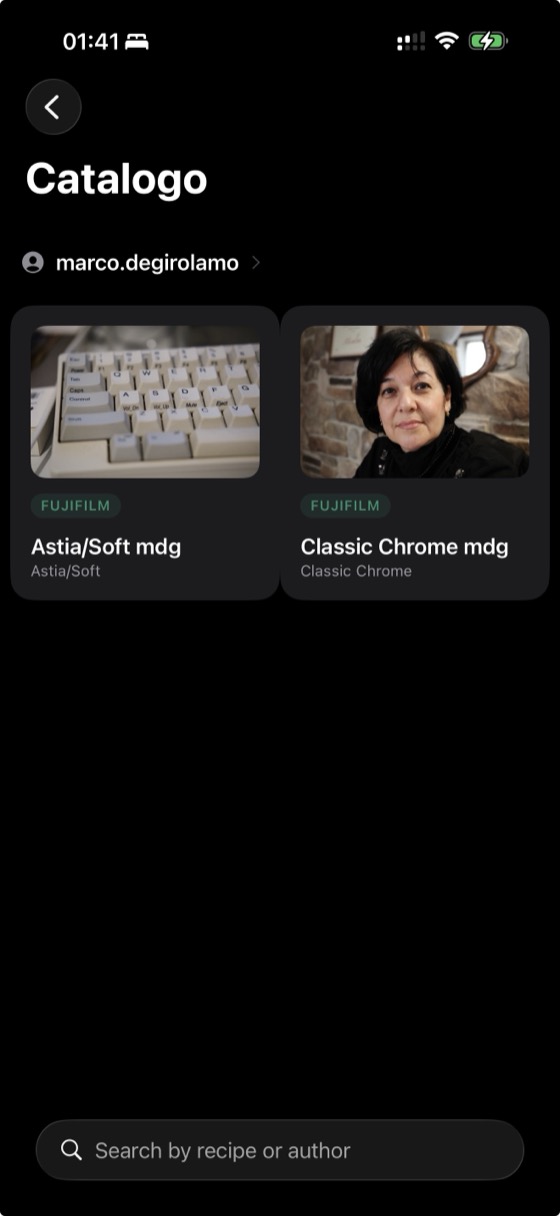
Three steps from a photo to the shot.
Show it a photo
A look you want to chase, or a Fujifilm/Ricoh shot to read exactly. No EXIF needed for the coach — it reads the look from the pixels.
Get the recipe & technique
The exact settings for your camera — profile, tone, colour, exposure, white balance — plus the craft behind the frame. Translate or tweak it live.
Shoot it
Follow the Q-menu tiles and menu order for your model, save it to My Recipes, and go make the picture.
Calibrated for Fujifilm and Ricoh GR IV.
Fujifilm X-Trans III · IV · V
The reference brand. Looks are characterised against real same-RAW developments, so the preview and the recipe are measured — not guessed. Full Q-menu, exact values.
Ricoh GR IV
The GR IV now has a calibrated preview — render its Image Control looks on your own photo, like Fujifilm. It will keep getting more accurate as the characterisation grows. GR III & IIIx recipes are still read exactly from EXIF; for the look on those and on Sony, Canon, Nikon, OM and others, the AI coach estimates it and tells you how to shoot it. Always labelled for what it is.
No viewfinder? Shoot by ear.
The Ricoh GR has no viewfinder, and in harsh sunlight the rear screen can wash out completely. LookBridge connects to your GR over Bluetooth and speaks your exposure into your earbuds — so you frame by eye and set by ear.
- Hear ISO, aperture & shutter — plus EV, mode, white balance, battery, shots left and more.
- Turn a dial on the camera and hear the new value instantly.
- Pick which parameters it reads and their order (Pro).
- Plays through your earbuds; read-only over Bluetooth — never changes your camera.
“ISO 400, f 5.6, 1 over 250.”
Turn the dial → hear the new value
One‑time unlock. AI runs on credits.
Free
Read recipes and explore the catalog.
€0
- Unlimited EXIF recipe reader
- Ricoh GR live — ISO, aperture & shutter aloud
- Community catalog · checklist · My Recipes
- Quick on-device look estimate
Pro
Everything unlocked. AI looks included to start.
€14.99€19.99
- Every feature unlocked, forever
- Calibrated Fujifilm engine
- Calibrated Ricoh GR IV engine
- Ricoh GR live — any value, customizable (EV, WB, battery…)
- Live preview, render & full-res export
- 25 AI coach looks included to start
One‑time purchase via the App Store. No subscription, ever.
AI credits — pay only for what you use
Every Shoot This result calls a vision model, so the AI runs on credits — there's no free monthly allowance. Pro includes 25 looks to start; anyone can buy one‑time packs and top up when they run low. No subscription. Packs: 15 looks €2.99 · 45 looks €7.99 · 110 looks €19.99.
Good questions, honest answers.
What is Shoot This, exactly?
Point LookBridge at any photo and its AI coach tells you how to recreate that look on the camera you own — the settings in your menu's own language, plus the technique behind the shot. It works for any brand.
Where do the recipes come from?
Straight from the photo. For Fujifilm and Ricoh we read the camera's EXIF MakerNotes, so the parameters are always correct — never scraped from blogs or made up. Community recipes are ingested the same way.
Why does the AI run on credits?
Each Shoot This result calls a vision model, which has a real cost. So instead of a subscription, the AI runs on credits: Pro includes 25 looks, and you buy one-time packs only if you need more. There's no free monthly AI allowance.
Does it write settings to my camera?
No. LookBridge gives you the exact values and a checklist in your camera's own menu order — you set them yourself. v1 deliberately never touches your camera.
Which cameras are supported?
The AI coach works for any camera — Sony, Canon, Nikon, OM and more. Fujifilm X-Trans (III/IV/V) and Ricoh GR (III/IIIx/IV) go further with exact recipe reading from EXIF. Calibrated preview is there for both Fujifilm and the Ricoh GR IV.
Is it private?
The reader and preview run entirely on-device. The AI coach sends only the photo you choose for analysis; shared community photos have their location stripped.
Every look you love, on the camera in your hands.
LookBridge is on the App Store for iPhone and iPad. Show it a photo — go shoot it.